
No time to read?
Key takeaways
- On the stores, search is the number one way people discover apps: your listing is a sales page, not a formality.
- It all starts with keywords: the ones your audience types, not the ones you find elegant.
- A good listing turns the tap into an install. Visuals, first lines, and reviews weigh more than you think.
You have a SaaS with a mobile app. You fought to publish it on the App Store and Google Play, and now it sits there, somewhere, among millions of others. The problem: nobody finds it. You think paid acquisition, LinkedIn, content, and you overlook the channel that is literally under your nose, free, and that most SaaS founders ignore: App Store Optimization.
ASO is the SEO of the stores. The same principle as Google, applied to the App Store and Play Store: being visible when someone searches for a solution to their problem. And unlike ads, you do not pay per click. Once your listing is well built, it brings you users every day, without spending another cent.
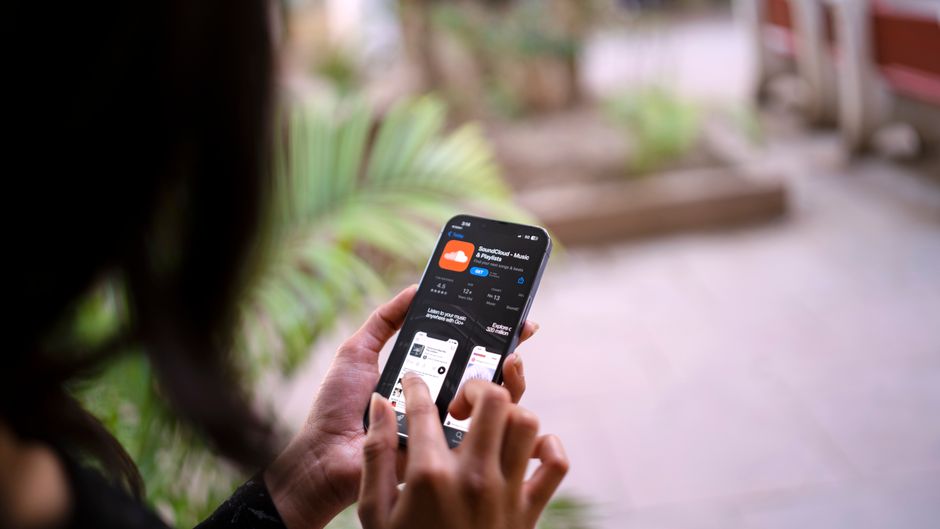
Why SaaS ASO is the channel everyone forgets
The reflex when you have an app is to assume the store is just a download point: people arrive with a link, they install, done. That is wrong. The store is also a search engine, and it is even the main place where users discover new apps.
On iOS, in-store search accounts for roughly 65% of app discovery, far ahead of browsing, external links, or ads. In other words: if you do not show up in the store's search results, you miss the platform's number one acquisition source. And the volume is huge: according to Apple's 2024 Transparency Report, the App Store records an average of 839 million downloads per week.
65%
of iOS discovery comes from store search
839M
downloads per week on the App Store
~90%
of users read reviews before installing
These numbers say one simple thing: the stores concentrate an enormous, already qualified purchase intent. Someone typing "invoicing app" or "expense tracker" on the Play Store is far warmer than a stranger scrolling LinkedIn. The transparency report also counts nearly 813 million weekly visitors on the App Store: that is traffic you do not capture with a single sloppy listing.
The classic trap for the founder who knows how to build is to obsess over the product and fill out the store listing in ten minutes, the night before launch. Generic title, description copied from the website, two blurry screenshots. The result: the algorithm does not know which words to rank you for, and the rare visitors who land there do not install.
Keywords: the backbone of your listing
It all starts here: which words does your audience type to find an app like yours? They are almost never the words you use internally. You say "cash management platform"; your user types "business expense tracker". Your job is to speak their language, not yours.
App store ranking works on a principle close to Google: the stores match your listing to queries based on the words present in your title, subtitle, and keyword field. A word you write nowhere is a word you will never rank for.
List the problems, not the features
Spy on the competitors
Cross volume and competition
Place words in the right spots
Common mistake
The most common mistake: aiming for a single generic, highly competitive keyword ("productivity", "CRM"). On those queries, you fight against players with millions of downloads. A founder starting out wins on precise, high-intent queries, where the competition is within reach.
App Store and Play Store do not play the same
Both stores share the logic of ASO, but their rules differ. Optimizing blindly without accounting for these gaps means losing ground on one of the two. Here are the differences that change how you write the listing.
| Element | App Store (iOS) | Play Store (Android) |
|---|---|---|
| Title | 30 characters | 30 characters |
| Dedicated keyword field | Yes (100 characters, hidden) | No |
| What indexes keywords | Title, subtitle, dedicated field | Title, short and long description |
| Long description | Little SEO weight | Strong SEO weight (indexed) |
| Rating and reviews | Ranking factor | Ranking factor |
Concretely: on iOS, you store your secondary keywords in the dedicated 100-character field, without repeating them in the title. On Android, the long description is indexed, so you weave your main keywords back in naturally, writing for a reader, not a robot. The same text copied on both sides necessarily leaves performance on the table.
Turning the tap into an install
Being visible is not enough. Once someone lands on your listing, you have a few seconds to convince them to install. That is the listing's conversion rate, and it is often where the difference plays out between an app that takes off and one that stalls.

The conversion levers of an app store listing are concrete, and you can work on all of them this week:
My listing that converts
0 / 5The detail that matters most: the first two screenshots, the ones visible without scrolling. Most visitors will never go past those two images. They must tell the benefit at a glance, with a short caption baked in, not a raw capture of your login screen.
On the numbers side, the upside is real: according to the ASO benchmarks from AppTweak, the view-to-install rate hovers around 33% on iOS for the best apps in a category. Every point gained on that rate is free acquisition added on top of your visibility.
Reviews and ratings: your trust capital
Reviews are not just an ornament: they weigh on both your ranking and the decision to install. Around 90% of users check reviews before downloading an app, according to several studies compiled by Business of Apps. A rating below 4 stars is enough to scare off a good chunk of your visitors, even if your listing is otherwise perfect.
The good news when you start: you can build this capital by hand. Ask for a review at the right moment, right after a success inside the app (a task completed, a first result obtained), never cold at launch. Reply to every review, especially the negative ones: a developer who replies shows a living app, and that reassures the next visitor who reads.
An app with no reviews is a restaurant with no diners at the window: nobody dares to walk in first.
It is the exact same mechanism as social proof on your website: people do what others have already validated. On a store, that proof is quantified, public, and directly tied to your ranking. Neglecting it means sabotaging both ends of the chain at once.
ASO, SEO, or ads: which channel to start with
ASO is powerful, but it is not necessarily YOUR first channel. If your SaaS is mostly web with a secondary app, or if your audience does not search for solutions on the stores, you may win faster elsewhere. The reverse is true too: many founders pay dearly for ads when an optimized store listing would bring them free installs.
The real question is not "do ASO or not", it is "which channel deserves your next 60 days". If your SaaS lives mostly on the web, start with SaaS organic search for the site-side logic, then see how to frame a B2C SaaS launch where the app is often central. And if you hesitate to put budget behind it, first measure what organic brings you before opening the tap of SaaS online advertising.
The rule that holds for all these channels: one worked deeply beats five skimmed. ASO rewards consistency, not the one-off stunt. A listing optimized today keeps bringing you users in six months, without you putting in another euro.
Find your best channel before you spread thin
The diagnostic tells you which channel to focus on for your first users, ASO included.